How Does a Plastic Card Printer Work? Explained
Table of Contents []
- How Does a Plastic Card Printer Work? A Complete Guide from Plastic Card ID
- The Core Technology: What Actually Happens Inside a Card Printer
- Ribbon Types and Why They Matter
- Encoding: Magnetic Stripes, Smart Chips, and Beyond
- Buyer's Guide: Choosing the Right Plastic Card Printer for Your Organization
- Applications: What Organizations Are Actually Printing
- Frequently Asked Questions About Plastic Card Printer Mechanics
- Connect with Plastic Card ID and Get the Right Equipment Today
How Does a Plastic Card Printer Work? A Complete Guide from Plastic Card ID
 Pull a hotel key card from your wallet, flip over a gym membership badge, or tap an access control card against a reader - each of those objects started its life as a blank white PVC card fed into a specialized printer. The technology behind that transformation is more fascinating than most people expect, and understanding it can genuinely change the way you approach building or upgrading your organization's card program. Plastic Card ID has spent over 25 years helping businesses across the United States figure out exactly what they need - and why it works the way it does.
This guide breaks down the mechanics, the hardware, the consumables, and the decisions you'll face when choosing a plastic card printing solution. Whether you're printing 200 employee IDs a year or 6,000 access badges a month, the fundamentals matter.
| Printer Model | Brand | Volume Range | Key Features |
|---|---|---|---|
| Badgy200 | Evolis | Under 1,000/year | Entry-level, desktop, color printing |
| Zenius | Evolis | 1,000-3,000/month | Mid-range, single-sided, upgradeable |
| Primacy2 | Evolis | Up to 6,000/month | Dual-sided, mag stripe encoding, fast throughput |
| Agilia | Evolis | High-volume/premium | Edge-to-edge, highest-quality output |
| Fargo / Zebra Series | Fargo / Zebra | Mid to high volume | Security ID, encoding, robust construction |
| Matica Event Printer | Matica | High-speed on-site | Event badge printing, fast output |
The Core Technology: What Actually Happens Inside a Card Printer
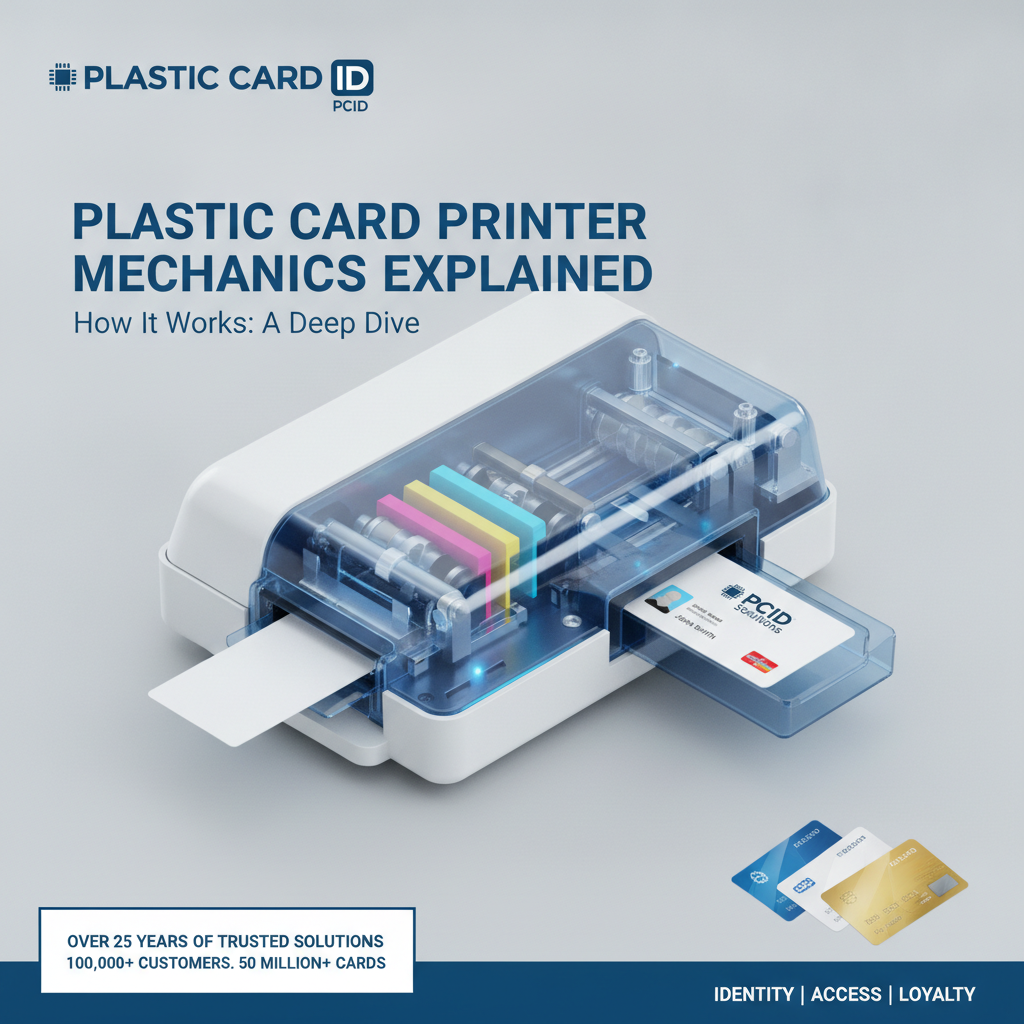
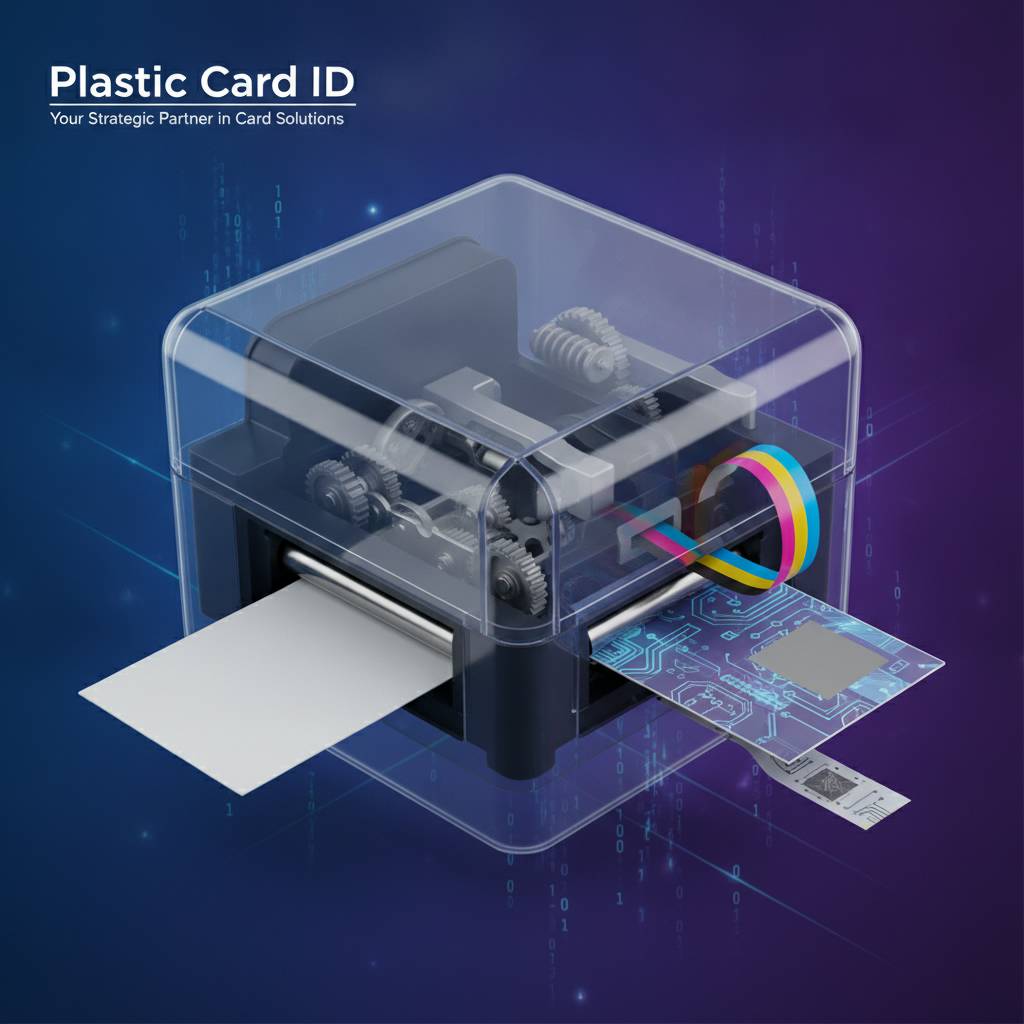 Most plastic card printers use a process called dye-sublimation printing, and it's genuinely elegant in its precision. Unlike inkjet or laser printing, dye-sublimation doesn't deposit liquid or toner onto a surface. Instead, it uses heat to transform solid dye into a gas - a process called sublimation - which then diffuses directly into the surface of the PVC card and solidifies again. The result is a continuous-tone image with smooth gradients, vibrant color, and remarkable durability.
The ribbon is the heart of the process. A YMCKO ribbon carries five panels in sequence: Yellow, Magenta, Cyan, Black (resin), and a clear Overlay panel. The printhead makes four passes across the card for color, a fifth for the sharp black resin layer used for text and barcodes, and a sixth to apply the protective overlay. Each pass is measured in fractions of a millimeter, synchronized with a precision roller transport system that moves the card through the machine at a consistent, controlled rate.
The Printhead and Heat Transfer Mechanics
The printhead in a dye-sublimation card printer is a thin bar studded with hundreds of tiny heating elements - called resistors - that can be individually activated at varying temperatures. The level of heat applied to each element determines how much dye sublimates and transfers, which controls the density and shade of each pixel. This level of pixel-level thermal control is what gives professional card printers their photographic print quality.
Resolution is typically measured in dots per inch (DPI). Entry-level printers like the Evolis Badgy200 produce sharp, professional output at standard resolutions, while higher-end systems push into finer detail ranges suitable for facial photographs, microtext, and intricate security elements. The printhead sits in precise contact with the ribbon and card surface throughout each pass, making alignment and tension control critical to a clean result.
Card Transport and Roller Systems
Before a single pixel hits the card, the transport mechanism has to do its job flawlessly. Cards are picked from an input hopper - which can hold anywhere from a small stack to several hundred cards depending on the model - and fed through a series of rollers that grip, align, and propel each card at a precise speed. Any variation in that speed introduces banding or misregistration in the printed image.
The cleaning rollers deserve special mention. Positioned early in the card path, these adhesive rollers lift dust, debris, and skin oils from the card surface before it ever touches the ribbon. A clean card surface is absolutely non-negotiable for dye-sublimation quality. That's one reason why the cleaning kit is a standard part of any card printing supply program - not an optional add-on.
Single-Sided vs. Dual-Sided Printing
Some card printers handle only one face of the card per pass. Others - like the Evolis Primacy2 - include a built-in flipper module that rotates the card after the first side is printed, presenting the reverse face to the printhead for a second complete print cycle. This adds time per card but eliminates any need to manually reinsert cards or manage two separate print jobs.
Dual-sided capability matters enormously for programs that need to encode information on both sides - employee photo and name on the front, department code and barcode on the back, for example. Deciding between single and dual-sided printing is one of the first questions CPE asks new customers, because it shapes hardware selection immediately.
Ribbon Types and Why They Matter
The ribbon isn't just a consumable - it's a direct determinant of image quality, cost per card, and security level. Choosing the right ribbon for your application is as important as choosing the right printer. The wrong match can produce faded images, excessive cost, or cards that fail to meet security requirements.
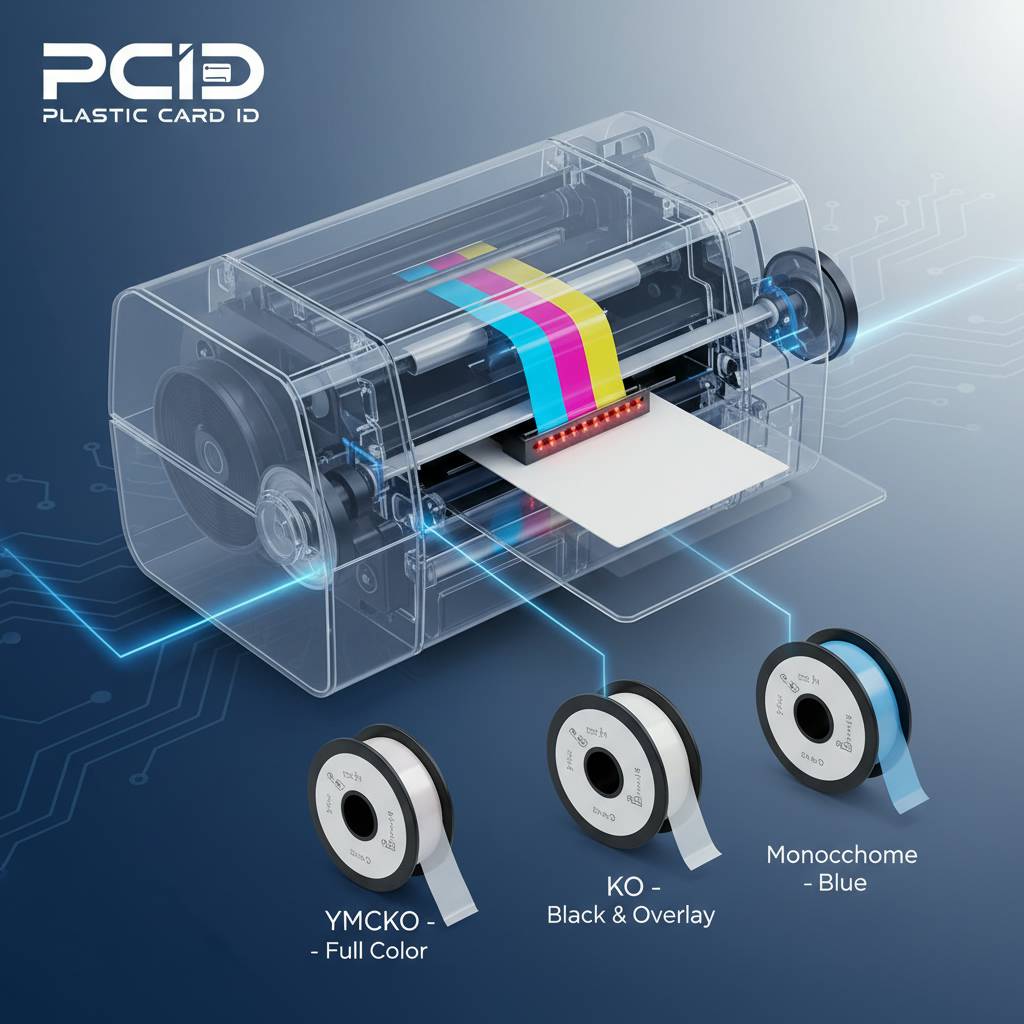
Different ribbon configurations exist for different needs, and CPE stocks all of them. Understanding the distinction between YMCKO, monochrome, and specialty ribbons will save you money and deliver better results than defaulting to whatever came in the box.
YMCKO Ribbons for Full-Color Cards
The YMCKO ribbon - Yellow, Magenta, Cyan, black resin, and clear Overlay - is the standard for full-color ID cards with photos, logos, and color-coded design elements. Each panel on the ribbon corresponds to one pass of the printhead. The overlay panel, often overlooked in discussion, is what protects the image from UV degradation, abrasion, and tampering. Without it, even a perfect print would fade or scratch within weeks of regular handling.
Cost per card with an YMCKO ribbon varies by printer model and ribbon yield. Higher-yield ribbons cost more upfront but produce a lower per-card cost at volume - a calculation that matters a great deal if you're printing thousands of cards monthly. Matching ribbon yield to your actual print volume is one of the simplest ways to manage consumable costs intelligently.
Monochrome Ribbons for High-Speed, Low-Cost Runs
When color isn't necessary - think visitor badges, temporary access passes, or basic event credentials - monochrome ribbons offer dramatically faster print speeds and a fraction of the per-card cost of YMCKO. Available in black, blue, red, gold, silver, and other colors, these single-panel ribbons allow the printhead to complete an entire card in one pass rather than five or six.
Some organizations use monochrome printing for the bulk of their card program and reserve full-color YMCKO printing for executive badges or high-visibility credentials. Splitting your ribbon strategy by card tier is a smart operational approach that many high-volume programs adopt once they're running at scale.
Specialty Ribbons and Security Panels
Beyond standard configurations, specialty ribbons incorporate UV-fluorescent panels, scratch-off panels, holographic overlays, and other security elements. These are particularly relevant for government-issued credentials, campus ID programs, or any application where counterfeit resistance is a priority. The UV panel prints a design or data element that's invisible under normal light but glows under ultraviolet inspection - a simple but highly effective deterrent.
Not every printer supports every ribbon type, which is another reason hardware selection should follow a clear understanding of your card program requirements. Brands like Fargo and Zebra have built particularly strong reputations in the security-focused segment, with printers designed from the ground up to support advanced ribbon configurations and encoding options. Call Plastic Card ID at 800.835.7919 to get matched with the right ribbon and printer combination for your specific use case.
Encoding: Magnetic Stripes, Smart Chips, and Beyond
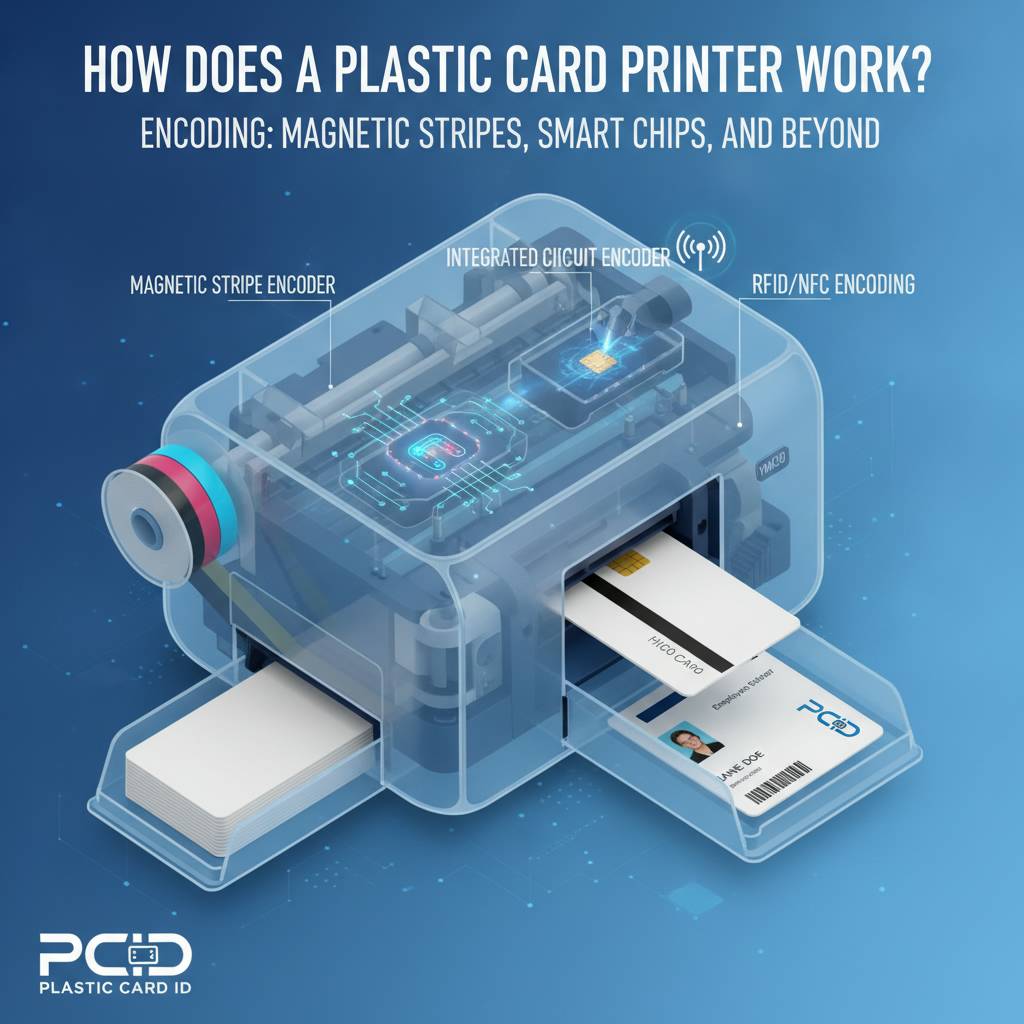 Printing an image on a card is only half the story for many organizations. The other half is encoding - writing machine-readable data onto the card's magnetic stripe, embedded smart chip, or contactless antenna. A card printer equipped with an encoding module can handle both tasks in a single pass through the machine, eliminating any need for a separate encoding station.
The integration of printing and encoding in a single hardware unit is one of the most compelling arguments for in-house card production. It means every card that comes out of your printer is fully personalized, fully encoded, and ready for immediate deployment - no batch processing, no vendor turnaround, no waiting.
Magnetic Stripe Encoding
Magnetic stripe cards store data on a strip of magnetically sensitive material bonded to the back of the card. The stripe is divided into tracks - typically three - each capable of holding different data formats. Track 1 is used for alphanumeric data, while Tracks 2 and 3 are numeric only. Hotel key cards, employee access cards, membership cards, and loyalty cards commonly use magnetic stripe encoding.
A mag stripe encoding module integrated into the card printer writes data to the stripe at the moment of card production, synchronized with the print job. The ability to encode a unique value on each card individually - rather than in bulk - is precisely what enables on-demand, personalized card issuance. No two cards need to carry the same data, and the printer handles the distinction automatically based on the print job data sent from your card design software.
Smart Chip and Contactless Card Encoding
Contact smart chip cards require physical insertion into a reader for data transfer, while contactless cards - often called RFID or NFC cards - communicate wirelessly at short range. Both types can be encoded in-line by an appropriately equipped card printer. The encoding module either makes contact with the chip's gold contacts or positions a coil antenna to communicate inductively during the encoding pass.
Smart card encoding is increasingly common in corporate access control programs, campus ID systems, and healthcare credential applications. The encoding module option is typically available as a factory-installed upgrade or a field-installable add-on, depending on the printer model. Choosing a printer platform that supports future encoding upgrades protects your investment as your program evolves.
Lamination for Enhanced Durability and Security
Lamination modules attach to card printers - or function as standalone units - and apply a thin film overlay to the printed card surface. This overlay is distinct from the printed overlay panel in the YMCKO ribbon; lamination adds a physically bonded layer that significantly increases card rigidity, scratch resistance, and security. Holographic laminates are particularly effective at preventing counterfeiting, as the visual effect cannot be reproduced with standard printing equipment.
For programs that issue long-life credentials - multi-year employee IDs, permanent access badges, or government-issued cards - lamination is often worth the additional per-card cost and processing time. The Evolis Agilia, designed for premium output, pairs especially well with lamination for organizations that demand the highest card quality and longevity available in the professional market.
Buyer's Guide: Choosing the Right Plastic Card Printer for Your Organization
 The printer market for plastic cards spans an enormous range of capability and price. Making the wrong choice costs real money - either by under-specifying hardware that can't keep pace with your volume, or by over-investing in industrial capacity you'll never use. A structured evaluation process helps you land in exactly the right place.
CPE has guided more than 100,000 customers through this process. The questions below represent the same framework applied in those conversations - and they work whether you're printing 100 cards a year or 100,000.
Key Questions Before You Buy
- How many cards will you print per month or per year? This single figure narrows the field more than any other factor. Entry-level printers like the Badgy200 are purpose-built for low-volume programs; pushing one beyond its rated capacity shortens its service life dramatically.
- Do you need single-sided or dual-sided printing? Dual-sided capability adds cost but enables full use of the card's real estate for data, design, and security elements.
- Will cards need encoding? Magnetic stripe, contact smart chip, and contactless encoding all require specific hardware modules. Define your encoding requirements before you select a printer model.
- What's the visual quality requirement? Staff ID badges for an internal program have different appearance standards than visitor-facing credentials for a hotel or a premium membership club.
- Is security a primary concern? Organizations issuing access control credentials, government-related IDs, or campus identification typically need printers and ribbons with built-in security features - and Fargo and Zebra models are strong contenders in this segment.
- What's your budget for ongoing consumables? Ribbons, cleaning kits, and blank cards are recurring costs. Factor them into your total cost of ownership calculation, not just the upfront hardware price.
Matching Printer to Program Scale
Entry-level desktop printers like the Evolis Badgy200 are ideal for small organizations - a local credit union, a school club, a small gym - printing fewer than 1,000 cards per year. They're compact, affordable, and simple to operate with minimal training. Mid-range systems like the Evolis Zenius and Primacy2 step up to handle monthly volumes from 1,000 to 6,000 cards with options for dual-sided output and encoding upgrades.
At the top of the range, the Evolis Agilia delivers edge-to-edge printing with premium image quality for organizations where card appearance is a brand statement, not just a utility tool. Fargo and Zebra printers offer robust alternatives with deep integration into enterprise security ecosystems. The Matica Event Printer occupies a specialized niche - high-speed on-site badge printing for conferences, tournaments, festivals, and other large-scale events where hundreds of credentials may need to be produced in a short window.
Don't Overlook Supplies and Support
A printer without a reliable supply chain is a liability. Ribbons run out. Cleaning rollers need replacement. Occasionally a card carrier or input hopper expansion becomes necessary as your program grows. Sourcing all of those items from a single, knowledgeable supplier eliminates the logistical headache of managing multiple vendor relationships and ensures compatibility across everything you order.
Plastic Card ID supplies the full ecosystem: YMCKO and monochrome ribbons, cleaning kits, lamination supplies, card carriers and sleeves, and blank PVC card stock. Everything your card program needs to keep running - from the first blank card to the finished, encoded, laminated credential - is available from a single source with 25-plus years of institutional knowledge behind every recommendation.
Applications: What Organizations Are Actually Printing
The diversity of card programs that rely on in-house plastic card printing is striking. Walk through any major employer, university, hotel, or events venue and you're surrounded by cards that originated in a printer not fundamentally different from the ones CPE supplies. The applications vary widely, but the underlying need is consistent: professional-quality, personalized credentials produced on demand.
In-house printing removes the dependency on outside vendors and their lead times. When an employee starts on Monday and needs an access badge Monday morning, a card program with the right equipment simply prints it. No two-week turnaround, no minimum order quantity, no reprinting a batch because one person's name was spelled wrong.
Employee ID and Access Control
Corporate ID programs represent one of the most common applications for desktop and mid-range card printers. The typical card carries a photo, name, title, department, and either a barcode or magnetic stripe for access control integration. Dual-sided printing allows additional data fields - emergency contact, building access level, issue date - without crowding the front face design.
Security-conscious organizations often choose Fargo or Zebra printers for this application, leveraging their advanced encoding capabilities and compatibility with enterprise access control platforms. The ability to issue and revoke credentials entirely in-house - without notifying or waiting on an outside vendor - is a significant operational and security advantage that many organizations don't fully appreciate until they've experienced it.
Membership, Loyalty, and Hotel Key Cards
Gyms, clubs, hotels, and retail loyalty programs all benefit from in-house card printing for different reasons. Membership organizations can issue cards at the point of enrollment, eliminating the awkward period between signup and card receipt. Hotels printing key cards on-site can reprogram and reissue cards instantly at the front desk without managing pre-printed card inventory for dozens of room configurations.
Loyalty card programs that personalize each card - member name, membership tier, account number encoded on the magnetic stripe - create a significantly stronger impression than generic pre-printed cards handed out in bulk. Personalization at the moment of issuance communicates that the organization values the individual relationship, which is exactly the message a loyalty program is designed to send.
Student IDs, Event Credentials, and Visitor Badges
School districts and universities rely heavily on in-house card printing for student and staff IDs, library cards, cafeteria payment cards, and athletic credentials. The Evolis Primacy2, with its dual-sided capability and encoding options, is a natural fit for campus programs that need to pack a lot of functionality onto a single card. Annual reissuance is straightforward, and replacement cards for lost or damaged IDs can be produced within minutes rather than days.
For events, the Matica Event Printer addresses a very specific and demanding challenge: producing large quantities of personalized badges quickly, on-site, often under time pressure. Conference organizers, tournament administrators, and festival managers who have experienced the Matica's throughput rarely return to pre-printed generic badge sheets. On-demand event credential printing is a competitive advantage for any organization managing large-scale gatherings with complex access control requirements.
Frequently Asked Questions About Plastic Card Printer Mechanics
 After 25 years in the industry, CPE has fielded a lot of questions. The ones below come up consistently - and the answers are worth knowing before you commit to a hardware investment or a card program structure.
How long do card printer printheads last?
Printhead lifespan is typically rated in linear meters of ribbon passed through the printer, which correlates loosely to card count. Most professional-grade printheads are rated for tens of thousands of cards when properly maintained. The single most important factor in printhead longevity is cleaning discipline - regular use of cleaning cards and rollers prevents abrasive debris from accumulating on the printhead surface and causing premature wear or element failure.
A printhead that's allowed to run dirty will fail long before its rated lifespan. Conversely, a well-maintained printhead in a mid-range printer like the Evolis Zenius can last several years in a typical mid-volume program. Cleaning isn't optional maintenance - it's a direct investment in printhead life.
Can I print cards from my existing database or HR system?
Yes, and this is one of the most powerful aspects of in-house card printing. Professional card design software connects directly to data sources - spreadsheets, databases, HR platforms, access control systems - and merges fields automatically into the card template. Each card in a batch can carry unique data: name, photo, ID number, encoded values on the magnetic stripe. The printer handles the individual variation without operator intervention for each card.
Setting up the data connection for the first time requires some configuration, but once it's in place, card issuance becomes a streamlined, largely automated process. Database-driven card printing is what separates a true card program from a one-at-a-time manual operation, and CPE can walk you through the software options that best fit your existing infrastructure. Contact us at 800.835.7919 for guidance.
What's the difference between a card printer and a regular label or photo printer?
The differences are fundamental and significant. Plastic card printers are purpose-built to handle rigid PVC card stock at CR80 standard dimensions - the size of a credit card - with precision transport mechanisms that maintain tight registration through multiple print passes. Standard photo or label printers are designed for flexible media and cannot maintain the dimensional accuracy required for card printing.
Beyond media handling, the dye-sublimation process used in card printers is simply not available in consumer or office photo printers at professional quality. The card-grade overlay panel, the integration of encoding modules, the connection to card design software - all of these are specific to purpose-built card printing platforms. There is no meaningful substitute for a proper card printer when professional credential output is the goal.
Connect with Plastic Card ID and Get the Right Equipment Today
 Understanding how a plastic card printer works is the foundation of making smart decisions about hardware, consumables, and program design. The mechanics are precise, the options are varied, and the right configuration for your organization depends on factors only you fully understand - until you talk to someone who's helped 100,000 other organizations figure out the same thing.
Plastic Card ID is that resource. With over 25 years of experience, a curated lineup of professional printers from Evolis, Fargo, Zebra, and Matica, and a complete supply chain for ribbons, cleaning kits, encoding modules, and accessories, CPE is positioned to support your card program from the first printer you buy to the thousandth card you print. Whatever you're credentialing - employees, members, students, guests, or event attendees - there's a solution in the lineup that fits.
Call Plastic Card ID today at 800.835.7919 and speak with a specialist who will listen to your program requirements and point you toward the hardware and supplies that make the most sense. The right card printer is out there - and Plastic Card ID will help you find it.
Previous Page