Card Printer Cost Per Card Breakdown: What to Expect
Table of Contents []
- Understanding Card Printer Cost Per Card: What Plastic Card ID Wants You to Know Before You Buy
- Ribbon Types and Their Impact on Your Card Printer Cost Per Card
- Printer Selection and How It Shapes Your Long-Term Cost Per Card
- Lamination, Encoding, and the Hidden Costs That Add Up
- Calculating Your True Cost Per Card: A Practical Framework
- Frequently Asked Questions About Card Printer Cost Per Card
- Why Plastic Card ID Is the Right Partner for Your Card Printing Program
Understanding Card Printer Cost Per Card: What Plastic Card ID Wants You to Know Before You Buy
 Most buyers fixate on the sticker price of a card printer and walk away thinking they understand the investment. They don't - not fully. The real story lives in the cost per card, a figure that quietly shapes your total program expense over months and years of operation. Get this number wrong, and a "cheap" printer becomes an expensive mistake. Get it right, and you'll make a decision you're proud of two years from now.
At Plastic Card ID, we've spent over 25 years supplying professional card printing hardware to businesses across the United States, and we've watched this exact misunderstanding cost organizations real money. More than 100,000 customers have come to us for printers, supplies, and straight answers. This page is one of those straight answers - a thorough breakdown of what actually drives cost per card, how different printers and supplies affect that number, and how to calculate it for your specific operation.
What "Cost Per Card" Actually Means
Cost per card is the total expense of producing a single finished card, calculated by adding all consumable costs and dividing by the number of cards produced. It sounds simple, but the variables involved are surprisingly numerous. Ribbon yield, lamination, cleaning kit usage, and even card stock grade all feed into the final figure.
A printer that costs $300 less upfront may carry a ribbon that yields fewer prints per panel, driving your per-card cost considerably higher over a production run of 5,000 cards. The hardware cost amortizes; the consumable cost compounds. That compounding effect is where your real budget lives.
The Key Variables That Drive Per-Card Expense
Several distinct factors contribute to what you'll spend per card. Ribbon type and yield are the most significant, but card stock cost, lamination decisions, and encoding options each add their own layer. Understanding each variable independently gives you control over the total.
It's also worth noting that single-sided versus dual-sided printing changes your ribbon consumption and therefore your cost per card. A dual-sided badge uses roughly 1.5 to 2 times the ribbon of a single-sided card, depending on the coverage of the reverse side artwork.
Why Volume Changes Everything
Here's a calculation that surprises many first-time buyers: at a cost of $0.40 per card, an organization printing 500 cards per month spends $2,400 per year on consumables alone. That same $0.40 rate applied to 3,000 cards per month becomes $14,400 annually. Volume amplifies every cost decision you make.
This is precisely why matching the right printer to your actual production volume is not just a technical exercise - it's a financial one. Higher-throughput printers often carry lower per-card consumable costs because their ribbons are designed for longer runs and carry higher panel counts per roll.
Ribbon Types and Their Impact on Your Card Printer Cost Per Card
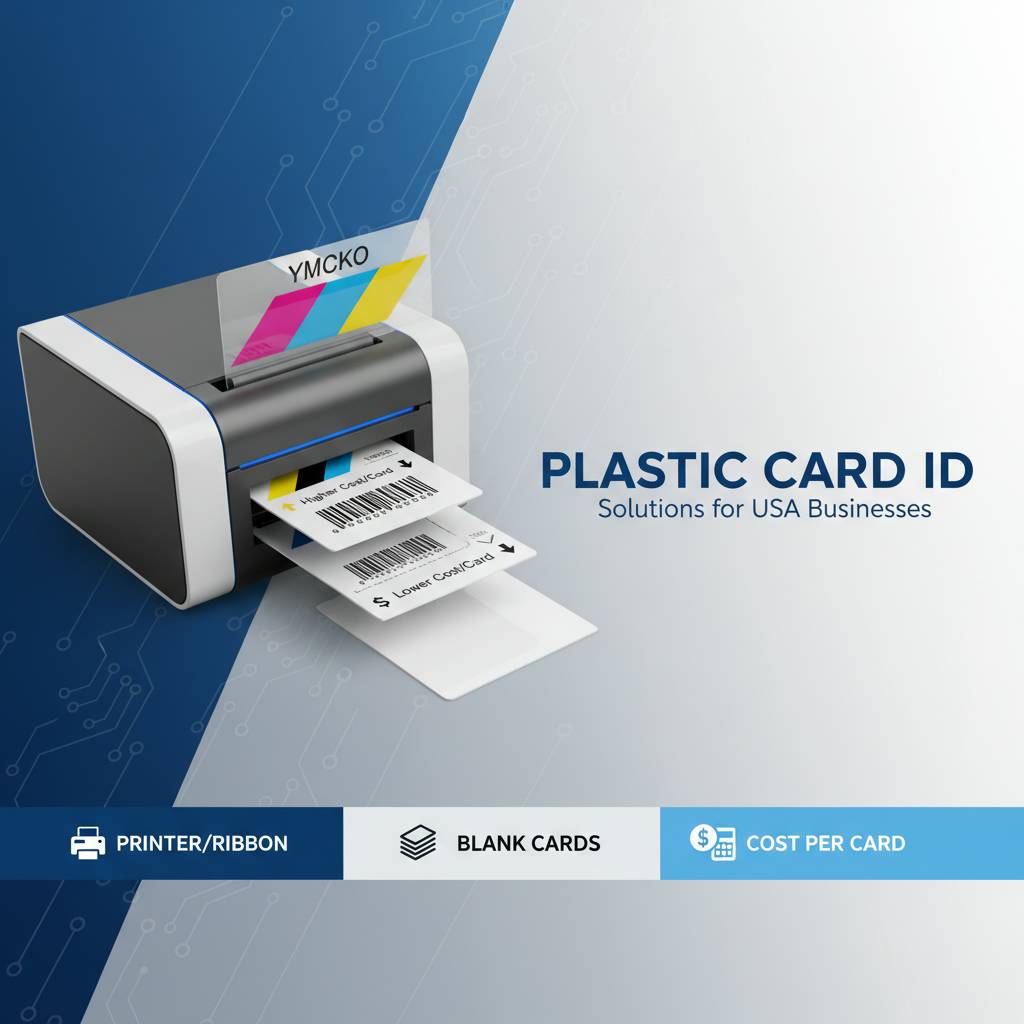 The ribbon is almost always the largest consumable cost in a card printing program. Understanding the different ribbon formats - and how each affects your per-card cost - is foundational knowledge for any serious buyer. Choosing the wrong ribbon for your card design can silently inflate your program costs without a single obvious warning sign.
At CPE, we supply ribbons across all major formats including YMCKO, monochrome, and specialty variants. Each carries a different cost structure, and each is suited to a different type of card program. Matching your design requirements to the right ribbon type is one of the fastest ways to optimize your cost per card.
YMCKO Full-Color Ribbons: The Standard Choice for ID Cards
YMCKO ribbons - Yellow, Magenta, Cyan, Key (black), and Overlay - are the most commonly used ribbons for producing full-color photo ID cards, membership cards, and employee credentials. Each card consumes one full set of YMCKO panels, regardless of how much color coverage your design actually uses. This makes card design efficiency an underappreciated cost lever.
A standard YMCKO ribbon for mid-range printers like the Evolis Primacy2 might yield 300 cards per ribbon at a cost of $60-$90 per ribbon, putting your ribbon cost per card in the $0.20-$0.30 range for color alone. That's before card stock, lamination, or any encoding cost. Designing cards efficiently - minimizing unnecessary large color blocks - can meaningfully stretch ribbon life.
Monochrome Ribbons: Dramatically Lower Cost Per Card
When full-color printing isn't required, monochrome ribbons are a game changer. A single-color black ribbon for a desktop printer might yield 1,000-1,500 impressions at a cost of $20-$35, pushing your ribbon cost per card down to $0.02-$0.03. For access control cards, simple loyalty cards, or back-side text printing on dual-sided units, monochrome is the obvious choice.
Several organizations run a hybrid model - full-color on the front of their cards and monochrome on the back - using dual-sided printers. This approach captures the visual quality of full-color ID printing while keeping the per-card cost notably lower than dual-sided full-color printing would require.
Specialty and Half-Panel Ribbons
Half-panel ribbons (YMCKO-K, for instance) include an additional black panel that covers half the card, ideal when your design features a large black text block on one portion of the card. These ribbons can be more cost-effective than standard YMCKO for certain design layouts because they reduce color panel waste on high-density text regions.
Specialty ribbons for fluorescent UV panels, metallic finishes, or security overprints add cost per card but serve specific security and authentication purposes. If your program requires visual authentication features, the added per-card cost is justified. Never pay for a specialty ribbon feature you don't functionally need.
Printer Selection and How It Shapes Your Long-Term Cost Per Card

| Printer Model | Ideal Volume | Approx. Ribbon Yield | Est. Ribbon Cost/Card |
|---|---|---|---|
| Evolis Badgy200 | Under 1,000/year | 100 cards | $0.30-$0.45 |
| Evolis Zenius | 1,000-3,000/month | 200-300 cards | $0.22-$0.35 |
| Evolis Primacy2 | Up to 6,000/month | 300 cards | $0.20-$0.30 |
| Evolis Agilia | High-volume premium | 500 cards | $0.18-$0.28 |
| Fargo / Zebra Models | Security ID programs | 250-500 cards | $0.20-$0.40 |
Your choice of printer doesn't just affect upfront hardware cost - it directly shapes the economics of every card you print for the life of that machine. Entry-level desktop printers use smaller ribbon cassettes with lower yields, which translates to higher per-card ribbon costs. Mid-range and high-volume printers leverage larger ribbon rolls and more efficient print mechanisms to reduce that per-card figure.
The table above illustrates approximate ribbon cost per card across the primary printer models we carry. These are ribbon costs only - not inclusive of card stock, lamination, or encoding. Use these figures as starting benchmarks, then build your full cost model from there.
Entry-Level Printers: Right Size, Right Price, Right Volume
The Evolis Badgy200 is purpose-built for organizations that print a small batch of cards each year - visitor credentials, seasonal staff IDs, small club membership cards. For these use cases, the higher per-card ribbon cost is entirely acceptable because total annual volume is low. Paying more per card matters much less when you're printing 400 cards a year versus 4,000.
Trying to force a high-volume production workload through an entry-level printer is where buyers get into trouble. The machine will wear faster, cleaning cycles become more frequent, and the economics don't improve just because you're printing more. Match the printer to the volume - that's the foundational rule of smart cost-per-card management.
Mid-Range Workhorses and Their Cost Advantages
The Evolis Zenius and Primacy2 occupy the sweet spot for most professional card programs. Their ribbon yields are meaningfully higher than entry-level units, their print speeds accommodate realistic production schedules, and they support encoding upgrades - magnetic stripe and smart chip - that expand what a single card can do.
The Primacy2, in particular, offers dual-sided printing as an option, which matters enormously for organizations encoding data on the back of employee ID cards or loyalty cards. The dual-sided ribbon consumption is higher, but the alternative - manually flipping cards through two separate print passes - is far worse in practice.
Call CPE at 800.835.7919 to get a volume-matched printer recommendation specific to your monthly card output and card design requirements.
High-Volume and Security-Focused Printers
The Evolis Agilia delivers edge-to-edge, premium-quality printing for organizations that demand the highest visual output - luxury membership programs, high-security access credentials, sophisticated event credentials. Its higher panel yield per ribbon roll pulls the per-card ribbon cost down compared to its hardware price point might suggest.
Fargo and Zebra printers serve security-centric programs where visual authenticity and encoding precision are paramount. These printers carry the lamination and holographic overlay capabilities that ID programs with elevated security requirements demand. The per-card cost is higher, but the security value delivered per card is also substantially greater.
Lamination, Encoding, and the Hidden Costs That Add Up
Ribbon is the biggest consumable cost driver, but it's not the only one. Lamination modules, encoding hardware, and even cleaning kits all contribute to your true cost per card. Buyers who model only ribbon cost are underestimating their program economics by anywhere from 20 to 60 percent depending on their configuration.

Let's break down each of these secondary cost drivers so you have a complete picture before committing to a hardware configuration.
Lamination Overlays and Their Per-Card Cost
Lamination patches add durability and a tactile finish to printed cards. They also add cost per card - typically $0.08-$0.20 per card depending on the laminate type and patch size. For cards that need to survive years of daily handling - employee IDs, student cards, access credentials - lamination is worth every cent of that added cost.
Holographic laminate patches also serve an authentication function, making cards significantly harder to duplicate. For programs where card security is critical, the per-card cost increase from holographic lamination is a security investment, not a consumable luxury. Factor lamination into your per-card model from day one rather than discovering it post-purchase.
Magnetic Stripe and Smart Chip Encoding
Encoding upgrades - magnetic stripe writers and smart chip contact or contactless encoders - are typically installed as modules within the printer rather than purchased as separate devices. They don't add cost per card the way ribbons do, but they do affect the upfront hardware investment, which factors into your amortized cost per card calculation.
A magnetic stripe module might add $150-$400 to a printer's purchase price. Spread across 10,000 encoded cards over the printer's life, that's an additional $0.02-$0.04 per card - negligible for the functionality delivered. Smart chip encoding modules carry higher hardware costs but similarly amortize into small per-card figures across realistic production volumes.
Cleaning Kits: Small Cost, Big Consequence if Ignored
Cleaning kits are the most overlooked consumable in any card program. Skipping recommended cleaning cycles leads to debris accumulation on the print head, degrading print quality and eventually causing hardware damage. A cleaning kit that costs $15-$30 protects a printer worth hundreds or thousands of dollars. Never skip a cleaning cycle to save a few dollars - the math never works in your favor.
Per-card, cleaning kit cost is minimal - typically $0.01-$0.03 depending on frequency and printer model. But its role in protecting your per-card cost structure is outsized: a damaged print head can mean a service cost or full head replacement that dramatically inflates your total cost per card when averaged across the production run it interrupted.
Calculating Your True Cost Per Card: A Practical Framework
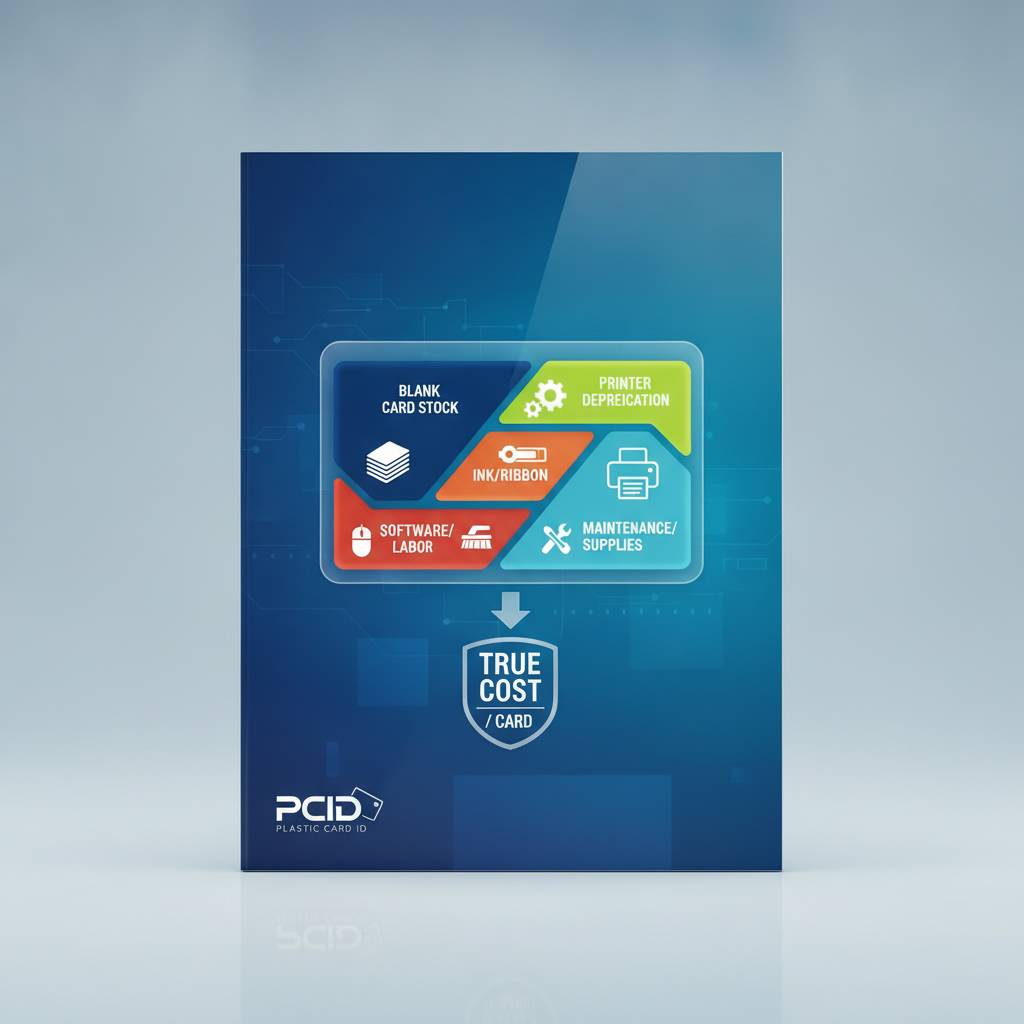 Here's where all the variables come together into a number you can actually use. To calculate your true cost per card, you need to add up every consumable cost associated with one finished card and account for a proportional share of hardware cost amortized over a realistic printer lifespan.
Most organizations are surprised by how straightforward this calculation is once they have the right input data. The challenge is gathering that data before purchase rather than after. That's exactly what our team at CPE helps customers do - model the numbers before committing to hardware.
Step-by-Step Cost Per Card Calculation
Start with your ribbon cost per card, calculated as: (ribbon cost / cards per ribbon). Add your card stock cost - typically $0.10-$0.25 per card for standard PVC. If you're using lamination, add your laminate cost per patch. If you're encoding, add the amortized cost of encoding hardware per card. Finally, add your cleaning kit cost, estimated at roughly $0.01-$0.02 per card.
- Ribbon cost per card: (Ribbon price) / (ribbon yield in cards)
- Card stock cost: typically $0.10-$0.25 per standard PVC card
- Lamination cost per card: $0.08-$0.20 depending on laminate type
- Encoding hardware amortization: $0.02-$0.05 per card depending on volume
- Cleaning supplies per card: approximately $0.01-$0.02
- Printer hardware amortization: (printer cost) / (estimated lifetime cards)
Adding these together for a typical full-color, single-sided ID card using a mid-range printer with no lamination gives a total cost per card in the $0.45-$0.75 range. Add lamination and you're at $0.55-$0.95. These are real-world figures, not marketing estimates, and they compare very favorably to outsourced card printing at $1.50-$4.00 per card.
Outsourced Printing vs. In-House: The Cost Case Is Clear
Organizations that outsource card printing to vendors pay a per-card price that includes the vendor's equipment cost, labor, profit margin, and shipping. For low-volume programs, this may still be a reasonable tradeoff. But the moment your volume reaches 500 or more cards per year, the economics of in-house printing begin to win - often convincingly.
An in-house printer that costs $500-$900 can pay for itself in under a year for an organization printing even 1,000 cards annually at a $0.50 per-card savings versus outsourcing. The control benefits - print on demand, immediate personalization, no shipping delays - are operational value that doesn't even appear in the financial calculation.
How Volume Discounts on Supplies Improve Your Numbers
Purchasing ribbons and card stock in larger quantities reduces your per-unit cost on those consumables. A single YMCKO ribbon roll might cost $65 individually; purchasing a case of five may bring the per-roll cost to $55, reducing your ribbon cost per card by $0.03-$0.05. Across thousands of cards per year, supply-volume discounts are a legitimate cost optimization strategy.
Card stock purchased in cases of 500 costs less per card than purchasing in boxes of 100. If your volume supports it, buying in bulk is one of the simplest ways to meaningfully improve your cost-per-card model without changing a single piece of hardware.
Frequently Asked Questions About Card Printer Cost Per Card
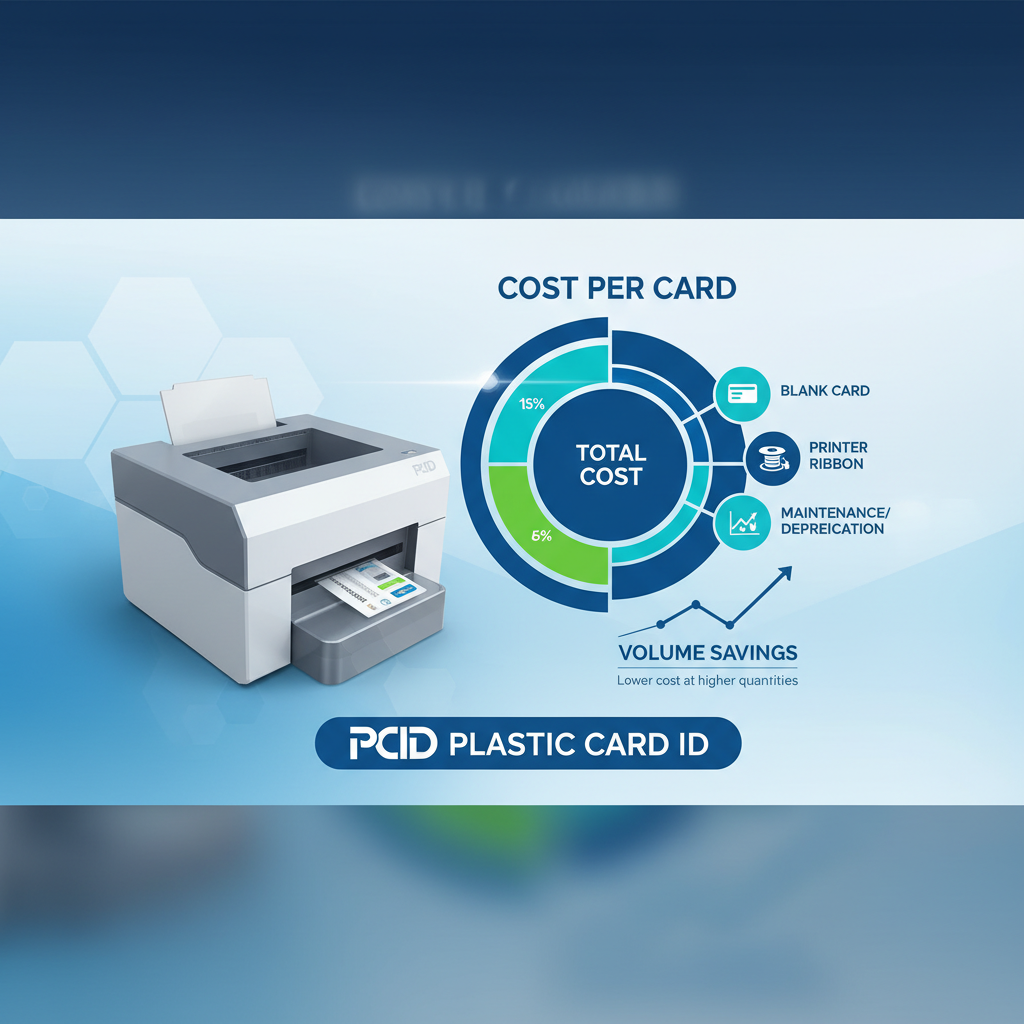 The questions below represent what our customers most commonly ask when they're working through their card program economics. These are real questions with direct answers - no filler, no vague guidance.
Does Dual-Sided Printing Double My Cost Per Card?
Not exactly. Dual-sided printing does consume more ribbon than single-sided printing, but whether it doubles your cost depends on the ribbon type and the print coverage on each side. If the reverse side of your card features only a small text block in monochrome, and you're using a YMCKO-K or monochrome ribbon for that side, the additional cost may be quite small relative to the full-color front panel cost.
The worst-case scenario for per-card cost is full-color printing on both sides with lamination on both sides. The best-case dual-sided scenario is full-color front with monochrome back using an appropriate ribbon configuration. Plan your card design with this cost axis in mind - it matters more than most buyers expect.
What Is the Cheapest Way to Print Cards In-House?
The lowest cost per card in an in-house setup comes from single-sided, monochrome printing on standard PVC card stock without lamination. This scenario can bring your per-card consumable cost down to $0.13-$0.20 per card - extremely competitive with almost any outsourcing alternative at any volume. For simple access cards or basic membership credentials, this is a legitimate and professional option.
If color is required, the next most cost-effective approach is efficient YMCKO card design that minimizes large color coverage areas, combined with monochrome back-side printing, no lamination, and bulk ribbon purchasing. Small design and procurement decisions add up to significant per-card savings at production scale.
Can I Get Help Modeling My Cost Per Card Before I Buy?
Absolutely - and this is exactly the kind of consultation CPE provides. Reach out to our team at 800.835.7919 with your monthly card volume, card design description, and any encoding or lamination requirements. We'll walk you through a complete cost-per-card model and recommend the hardware and supply configuration that produces the best economics for your specific program.
There's no obligation, and the conversation typically takes less than 15 minutes. After 25 years and more than 100,000 customers, we've seen every type of card program imaginable - and we know exactly which configurations work best at which volumes.
Why Plastic Card ID Is the Right Partner for Your Card Printing Program
Buying a card printer is straightforward. Building a card program that runs efficiently, produces consistent quality, and stays within budget over time requires more than a single transaction. It requires a supplier that understands your entire operation and can support you across hardware, supplies, maintenance, and program evolution. That's what Plastic Card ID has been doing for more than 25 years, for over 100,000 businesses across the country.

Our curated lineup - Evolis, Fargo, Zebra, and Matica - covers every production scale and application type, from simple low-volume desktop printing to high-throughput industrial badge production. Every product we carry is a professional-grade tool that we stand behind because we've put it through its paces across thousands of real-world customer deployments.
A Complete Supply Ecosystem, Not Just Printers
Beyond the printers themselves, we supply everything your program needs to run: YMCKO and monochrome ribbons, specialty ribbons, cleaning kits, lamination modules, encoding upgrade kits for magnetic stripe and smart chip, input hoppers for high-volume workflows, and card carriers and sleeves to protect finished credentials. You should never have to source supplies from multiple vendors when one partner can cover everything.
We know your card program doesn't stop when the printer arrives. Ribbons run out, cleaning kits get used, production volumes grow. We're here for the ongoing supply relationship, not just the initial hardware sale. Our customers come back because the experience after the purchase is as good as the one that led to it.
Serving Every Card Program Type
We support organizations across an enormous range of card program types - employee ID cards, student IDs, membership cards, loyalty cards, access control credentials, hotel key cards, event badges and credentials, and more. Each of these programs has its own cost-per-card profile, volume dynamics, and quality requirements. We know how to address each of them because we've done it thousands of times.
Whether you're a school district issuing 200 student IDs per year or a hotel group printing key cards by the thousands per month, we have the hardware and supply configuration that fits your program and your budget. The cost-per-card framework we've laid out in this page applies equally to all of them - the variables just take different values.
Experience That Translates to Better Decisions
Over 25 years, we've watched the card printing industry evolve through multiple generations of printer technology, ribbon chemistry, and encoding standards. That institutional knowledge isn't stored in a brochure - it lives in the conversations our team has with customers every day. When you call us, you're not talking to a general sales representative; you're talking to people who know card programs inside and out.
That expertise is most valuable when you're making your first purchase and trying to avoid the common mistakes that inflate per-card costs, cause early hardware problems, or result in a printer mismatch for your actual volume. We've seen every mistake in the book, and we'd rather help you avoid all of them.
Ready to know exactly what your card program will cost per card? Talk to Plastic Card ID today.
Call 800.835.7919 and let our team build a complete cost-per-card model for your specific program - volume, design, encoding, and all.
Plastic Card ID has the printers, the supplies, the expertise, and the track record to make your card program run right from day one. Call 800.835.7919 now and let's get started.